

FANUC robot alarm codes: the most searched ones, what they mean and what the shift can check
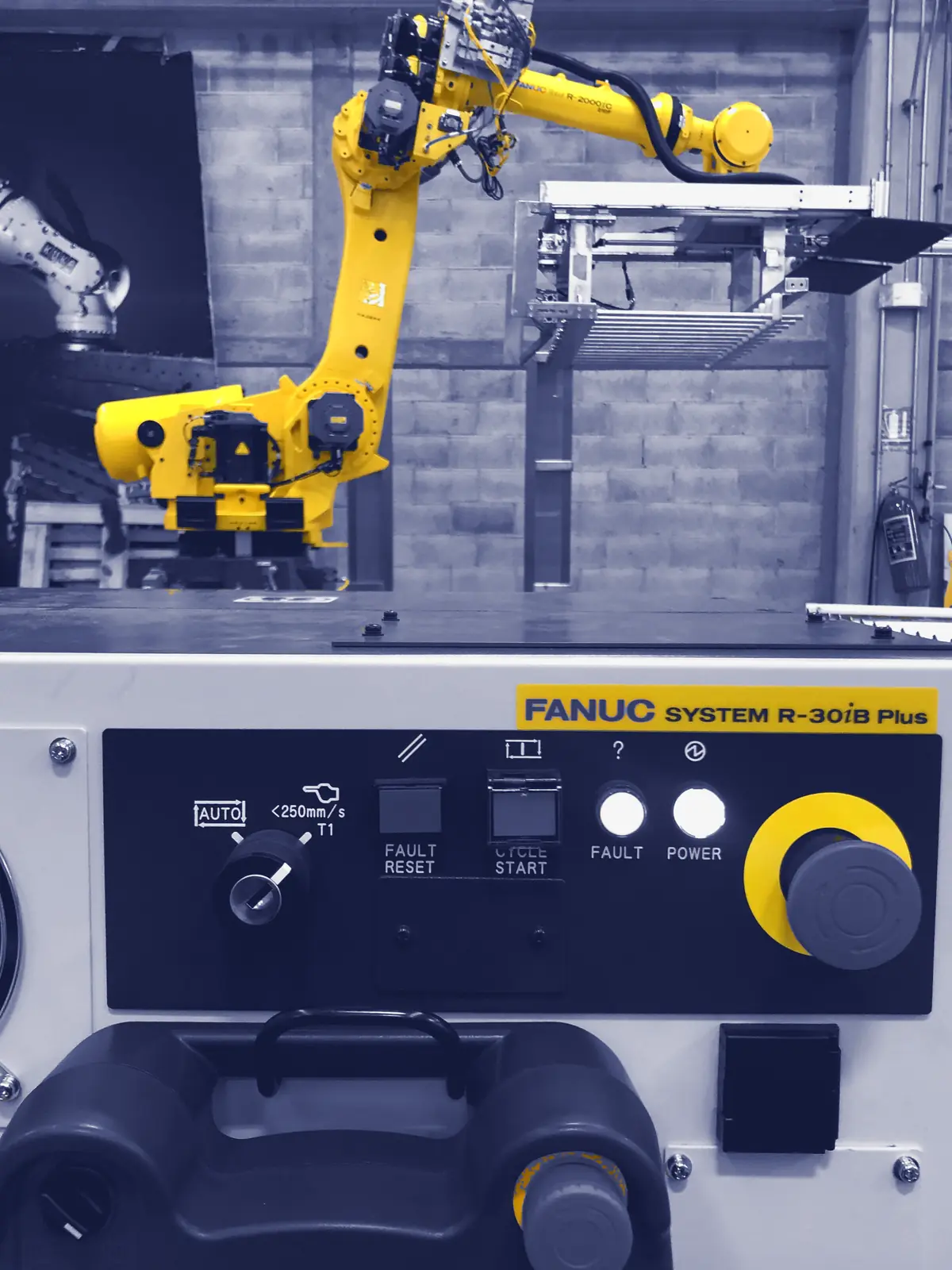
A FANUC robot alarm reads in parts: the family (SRVO, servo; MOTN, motion; INTP, program; SYST, system), the number, the on-screen text and, in parentheses, the group and the axis. The history opens on the teach pendant with MENU, 4 ALARM and F3 HIST, per the FANUC R-30iB Mate controller maintenance manual (B-83525EN/07, 2017).
- Topic
- Operations and support
- Reviewed
- November 27, 2026
- Reading time
- 10 minutes
FANUC robot alarm codes read by family, number and text, with group and axis in parentheses, and their history sits under MENU, 4 ALARM, F3 HIST (FANUC manual B-83525EN/07, 2017). SRVO-062 BZAL means the encoder backup battery is empty and calls for mastering; SRVO-050, a detected collision; SRVO-230 and SRVO-231, a safety signal whose two channels disagree. Target Robotics, in San Luis Potosí, Mexico, runs FANUC courses and maintenance contracts.
In this article
- How do you read a FANUC robot alarm code?
- Most searched FANUC robot alarm codes: table by code
- SRVO-062 BZAL: why does it call for mastering?
- SRVO-050 Collision Detect: why does it trip with no crash?
- SRVO-038 Pulse mismatch and SRVO-037 IMSTP
- SRVO-230 and SRVO-231: the safety chains
- Which alarms are specific to a palletizer?
- What the shift can do and what is left to a technician
- What to write down before you call support
Type “alarma srvo” into Google in Spanish and autocomplete suggests seven FANUC robot codes: 062, 348, 037, 068, 046, 157 and 231 (checked November 27, 2026). Here are those FANUC robot alarm codes, explained with the manufacturer’s published documentation. Before you touch anything, follow your controller manual and your plant’s lockout procedure.
How do you read a FANUC robot alarm code?
The FANUC R-30iB Mate controller maintenance manual (B-83525EN/07, 2017), which Haas publishes on its service site, writes each alarm like this: SRVO-062 BZAL alarm (Group:i Axis:j). It has four parts:
- Family. Per PAS Robotics, a Spanish robot service company, SRVO is servo control; MOTN, motion; INTP, the program interpreter; and SYST, the controller system (May 26, 2026).
- Number. It identifies the fault within the family.
- On-screen text. It appears on screen exactly as written; write it down in full.
- Parentheses. On SRVO alarms they carry the motion group and the axis, as in
(Group:1 Axis:5); on INTP alarms, the program and the line, as inINTP-224 (TEST1, 6).
Per the same manual, the history opens with MENU, 4 ALARM and F3 HIST, and lists the latest alarm as number 1. F5 opens the detail, with date and time, and the cause code, when there is one, appears on the line below.
Most searched FANUC robot alarm codes: table by code
The shift column holds what is done from outside the cell and the cabinet; the technician column, what calls for measuring, opening or replacing parts.
| Code | On-screen text | What it means | Usual cause | What the shift checks | When to call a technician |
|---|---|---|---|---|---|
| SRVO-001 | Operator panel E-stop | Emergency stop on the controller pressed | Someone pressed it | Why it was pressed; release and reset | Released and the alarm stays |
| SRVO-002 | Teach pendant E-stop | Emergency stop on the teach pendant pressed | Someone pressed it | Release and reset | Same |
| SRVO-003 | Deadman switch released | Deadman switch released or squeezed fully | It was let go in manual mode | Hold it in its middle position | The alarm persists |
| SRVO-004 | Fence open | Cell gate open in automatic mode | Gate open or badly closed | That nobody is inside; close and reset | Closed and the alarm stays |
| SRVO-007 | External emergency stops | External emergency stop open | An E-stop on the cell or the line | Which button; release and reset | Released and the alarm stays |
| SRVO-023 | Stop error excess (G:i A:j) | Very large position error with the robot stopped | Brake left unreleased, obstacle, load above rating, low voltage | That nothing obstructs the robot | Whenever it repeats |
| SRVO-037 | IMSTP input (Group:i) | The immediate stop signal came in | An external device sent it through the peripheral device interface | Which line condition triggered it | Line in order and the alarm stays |
| SRVO-038 | Pulse mismatch (Group:i Axis:j) | Encoder pulses changed between power-off and power-on | The axis moved without power | What was done before powering off | Always: it calls for mastering |
| SRVO-046 | OVC alarm (Group:i Axis:j) | Motor thermal protection by current | Load or duty above rating, brake applied | Changes in product, weight or speed | If it repeats |
| SRVO-050 | Collision Detect alarm (G:i A:j) | Abnormally high disturbance torque on one axis | Collision, invalid load data, brake, voltage | Gripper, pallet and product | It appears with no collision, or repeats |
| SRVO-062 | BZAL alarm (Group:i Axis:j) | Encoder backup battery empty | Dead batteries or a broken battery cable | Report it | Always: batteries and mastering |
| SRVO-068 | DTERR alarm (Grp:i Ax:j) | The encoder stopped answering the controller | Cable, connector, encoder or amplifier | Write down the axis | Always |
| SRVO-157 | CHGAL alarm (G:i A:j) | The servo amplifier capacitor was slow to charge | Input voltage, connectors or amplifier | Write down axis and time | Always |
| SRVO-230 and SRVO-231 | Chain 1 abnormal a,b and Chain 2 abnormal a,b | The two channels of a safety signal differ | One of the two circuits failed | Report it and leave the robot stopped | Always |
| SRVO-348 | DCS MCC OFF alarm a,b | The magnetic contactor stayed on after the command to turn off | Emergency stop unit or its connections | Report it and leave the robot stopped | Always |
| MOTN-018 | Position not reachable | Position outside the robot’s reach | A point in the program | Write down program and line | Programmer |
| INTP-105 | (%s,%d) Run request failed | The program could not start | Given by the cause code | Read the line below | Depends on that cause |
| SYST-034 | HOLD signal from SOP/UOP is lost | The HOLD signal from the panel or the external device was lost | In the Haas cell, it lost connection with the machine | That the device is still powered on | Communication stays down |
| User alarm | Whatever the integrator wrote | Process condition the program watches | Low vacuum, dropped part, missing pallet or slip sheet | Product, suction cups and air pressure | Condition in order and the alarm stays |
The SRVO entries come from manual B-83525EN/07 (2017), written for the R-30iB Mate cabinet: confirm each remedy in the manual for your controller. SYST-034 comes from the Haas TG0082 guide (revision E, January 2026); MOTN-018 and INTP-105, from DIY Robotics (December 10, 2019, updated June 2, 2022).
SRVO-062 BZAL: why does it call for mastering?
The motor encoders, which FANUC calls Pulsecoders, hold each axis position with batteries housed in the arm. Per the M-410iB/140H manual, a palletizing robot, BZAL appears when that battery voltage drops to 0 V with the controller powered off, and with it the data held by the encoder is lost (B-83164EN/04, March 2017). With SRVO-062 the robot has lost the reference for its axes, and FANUC calls for resetting the encoder and mastering.
The warning comes earlier: SRVO-065 BLAL signals low voltage. On the M-410iB/140H the batteries are replaced with the emergency stop pressed and the controller powered on, because with the power off the position of every axis is lost. FANUC America recommends taking a full backup and an image first (Tech Transfer, November 18, 2025); the procedure is in FANUC robot backup.
For SRVO-062 and SRVO-038, the controller manual specifies quick mastering, which starts from a reference position stored beforehand; if the encoder was replaced, it calls for single axis or fixture position mastering (section 3.4). Battery replacement intervals are in FANUC robot preventive maintenance.
SRVO-050 Collision Detect: why does it trip with no crash?
The controller estimates the disturbance torque on each axis and, when it is abnormally high, treats it as a collision and cuts power to the robot (B-83525EN/07, 2017). The first check FANUC asks for is whether the robot collided or something raised the mechanical load on that axis: in a palletizing cell, the gripper, the pallet and the product.
When everything is in place, FANUC has you check the declared load data, the axis brake, the weight and the input voltage. The FANUC America Startup Guide (2017) gives a case: on some heavy-payload robots with no tooling attached, SRVO-050 can occur when jogging until the payload is set to zero.
The M-410iB/140H manual adds cold: near 0 °C, at startup, the alarm can occur because of resistance in the drive mechanism, and it recommends a few minutes of warm-up. The payload of each model is in which FANUC robot is used for palletizing.
SRVO-038 Pulse mismatch and SRVO-037 IMSTP
SRVO-038. The pulse count the controller stored at power-off differs from the one it reads at power-on. FANUC ties it to a robot that moved without power, with the brake release unit or because a brake failed, and to an encoder replacement or a backup restore; its remedy is to remaster (B-83525EN/07, 2017).
SRVO-037. The immediate stop signal, IMSTP, came in through the peripheral device interface, the controller’s connection to the external equipment of the cell (B-83525EN/07, 2017). Look for the cause in the line and in the device that sends that signal.
SRVO-230 and SRVO-231: the safety chains
Safety signals, such as the emergency stop and the gate, reach the controller through two duplicate channels. SRVO-230 and SRVO-231 appear when a contact is closed on one chain and open on the other (B-83525EN/07, 2017). FANUC warns that the alarm is reset only once the failure is identified and repaired: if the robot stays in use with one circuit faulty, safety is no longer guaranteed when the other fails.
With SRVO-230 or SRVO-231, the shift reports it and leaves the robot stopped; the chain reset comes after the repair. How those circuits are built is in palletizing cell safety requirements.
Which alarms are specific to a palletizer?
Low vacuum, part lost, missing pallet or slip sheet: these alarms watch the process, and whoever programmed the cell writes them. FANUC calls them user alarms. In its Tech Transfer, FANUC America explains that they are created and edited on their own screen, that they are called with an instruction inside the program and that their severity can be changed (December 12, 2025).
ONE Robotics, a firm that specializes in programming FANUC robots, publishes an example: a routine checks the gripper signals and, if the part is poorly gripped, runs UALM[1]; it adds that a brief pressure dip can trigger it (February 2014). The number and the text change from cell to cell because each programmer defines them. The meaning of each user alarm is in your cell’s documentation: ask for the full list of messages with what to check for each one.
What the shift can do and what is left to a technician
FANUC recommends that only people trained in its courses operate, repair or maintain its robots (B-83525EN/07, 2017). The shift works from outside the cell:
- Reset the alarm after correcting the cause. FANUC asks you to avoid repeated stops that cut servo power to the motors, which it calls power-off stops and which can also damage the robot.
- Check the emergency stops and the gate. The STATUS, Stop Signal screen lists which stop signal is active, and it is read-only.
- Check air pressure and vacuum at the gripper.
- Write down the code, the axis, the time and what the robot was doing.
Left to trained personnel, with the manufacturer’s procedure:
- Opening the controller or measuring at its connectors.
- Moving the robot with the brakes released.
- Mastering, and resetting encoders or safety chains.
- Changing the load data or the system variables.
Disabling or jumpering a safeguard is off the table in every case: the manual calls it very dangerous to disable the gate signal or the external stop signal. To prepare each shift, Target Academy runs 7 FANUC robot courses.
What to write down before you call support
FANUC America asks you to have ready the robot’s F number or serial number, the symptoms, the error codes and the diagnostic LEDs (checked November 27, 2026). Haas and RoboJob (January 26, 2022) ask for nearly the same. Also gather:
- The full code with its text, group and axis, and a photo of the history.
- What the robot was doing and what changed that day: product, gripper, program or a power cut.
- Date and location of the last backup.
- Photos or video of the fault.
If the problem is an unexplained motion, FANUC America asks you to stop the robot with HOLD and take the diagnostic log before powering off the controller, because that data is lost at power-off (Tech Transfer, May 1, 2024). What a contract covers is in maintenance and support for FANUC robots.
The full list of codes is in the controller’s alarm manual, which FANUC identifies as B-83284EN-1 in the R-30iB series.
Frequently asked questions
Where do I see the alarm history on my FANUC robot?
I got SRVO-062 BZAL. Can I power the controller off and on?
We moved the robot with the power off and now it shows SRVO-038. What next?
Can I reset an SRVO-230 or SRVO-231 alarm to keep producing?
The screen says low vacuum or part lost and shows no SRVO code. What is it?
Sources
- FANUC America, R-30iB Mate and R-30iB Mate Plus controller maintenance manual, B-83525EN/07, 2017, published by Haas on its service site
- FANUC, M-410iB/140H mechanical unit manual, B-83164EN/04, Mar 2017, public copy hosted by Dentech
- FANUC America, robot Startup Guide, 2017, published by Haas on its service site
- Haas Automation, Haas Robot Package troubleshooting guide, TG0082, revision E, Jan 2026 (in Spanish)
- FANUC America, Tech Transfer, How To Replace Batteries On An Industrial Robot, Nov 18, 2025
- FANUC America, Tech Transfer, User Alarms, Dec 12, 2025
- FANUC America, Tech Transfer, How to Take a Diagnostic Log, May 1, 2024
- FANUC America, robot service, checked Nov 27, 2026
- RoboJob, Help Center, Check FANUC robot controller for errors, Jan 26, 2022
- DIY Robotics, 28 FANUC robot programming error codes, Dec 10, 2019, updated Jun 2, 2022
- ONE Robotics, Keep it Running, Feb 2014
- PAS Robotics, FANUC robot alarms: SRVO, SYST and MOTN, May 26, 2026 (in Spanish)